
Cybersecurity SaaS
BlackVault
Smart AI Powered Cybersecurity SaaS for domain Protection
Case Study
l
12 min read

My Role
Duration
User Research
User Flows
Framework
Wireframing
Copywriting
High Fidelity Prototype
Visual Design
Overview
Crypto investors often struggle manual trading feels stressful and demanding, while most automated bots just don’t feel trustworth
BlackVault scans each domain, translates SPF, DKIM, and DMARC into simple scores, and shows exactly what to fix
With a central dashboard, domain views, reports, and learn modules, it helps teams see their risk, secure their brand, and keep protection running in the background.
Defining the Problem
Why Existing Crypto Investment Platforms Frustrate Users
For most small and medium businesses, email security stays unnoticed until emails start going missing or being spoofed. Misconfigured SPF, DKIM, and DMARC make attacks easy to launch and hard to spot, especially for non‑technical teams using complex, technical tools.
Here's what we found out:
Objective and Goal
Why Businesses Need a Clear Email Security Hub
A large share of SMBs run email on SPF, DKIM, or DMARC setups that are incomplete or broken, leaving them exposed to spoofing and phishing
Broken Setup
SPF, DKIM, and DMARC are often incomplete or broken, making spoofing and phishing easy.
No Clear visibility
Owners can’t clearly see which domains are safe, failing checks, or under attack.
Hard to Maintain
More domains and providers make hand‑checking security slow, messy, and unreliable.
We identified two key types of businesses who are underserved by existing email security tools and struggle with configuration complexity, visibility, and ongoing protection.

The Overloaded Owner
Busy professionals and retail investors who want to grow their crypto portfolio without the stress of active trading. They are often intimidated by complex interfaces and frustrated by solutions that hide performance data.

The Security Conscious Operator
Agencies, IT freelancers, and ops teams who manage multiple client domains and care deeply about reputation and deliverability. They need clear scores, exportable reports, and ongoing monitoring so they can prove value and react fast when something breaks.
Solutioning
3 Key Points to Solve
1. One‑Click Domain Health Check
Provide a single, no‑code action to scan any domain and instantly see its SPF, DKIM, and DMARC status in one place
2. Clear, Real Time Security Visibility
Use a live dashboard with scores, trends, and per‑domain reports so teams always know how protected their email is.
3.Guided Fixes and Always‑On Monitoring
Offer step‑by‑step remediation and continuous monitoring, so issues are fixed quickly and new risks are caught automatically.
Introducing
BlackVault
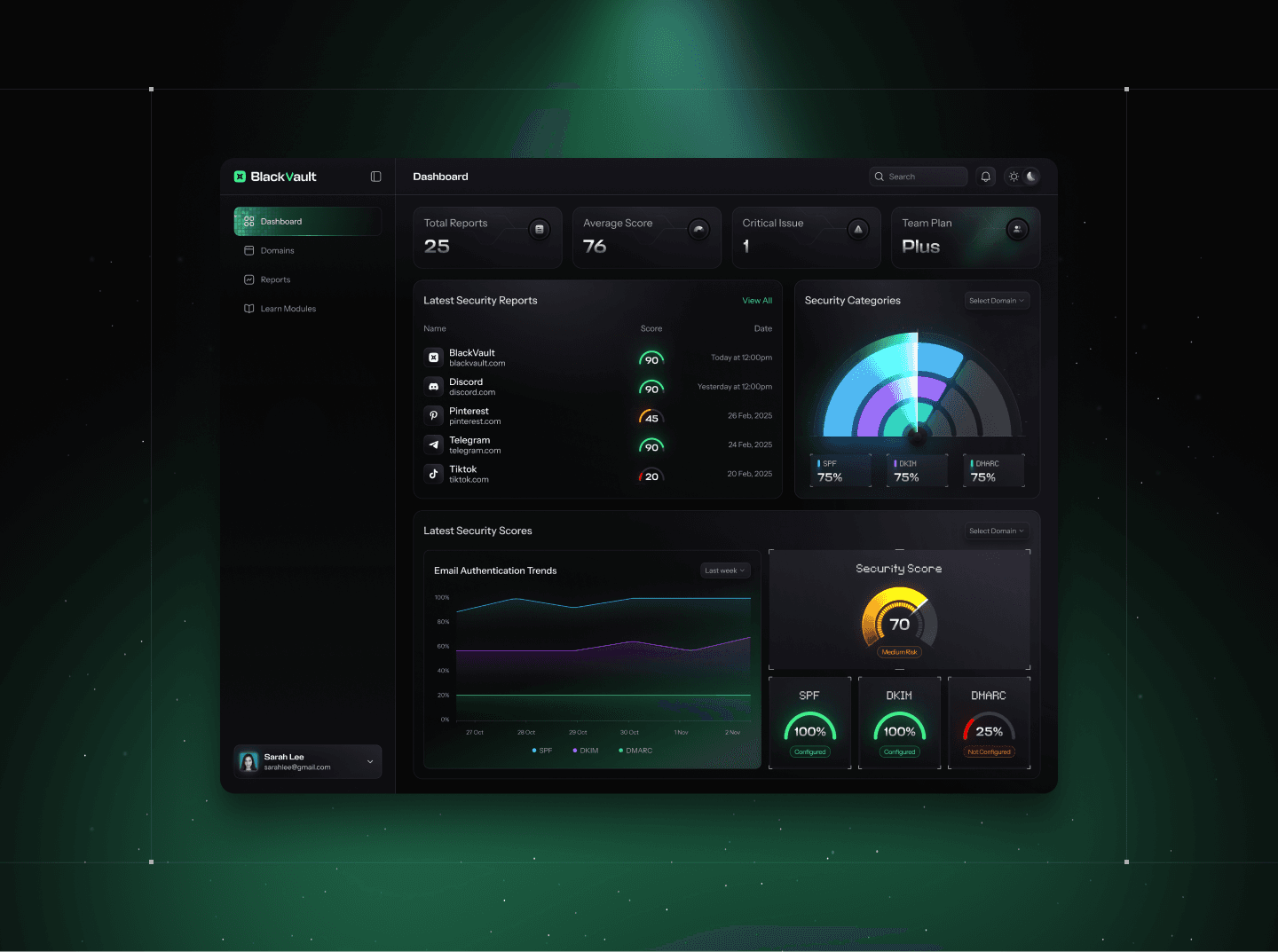
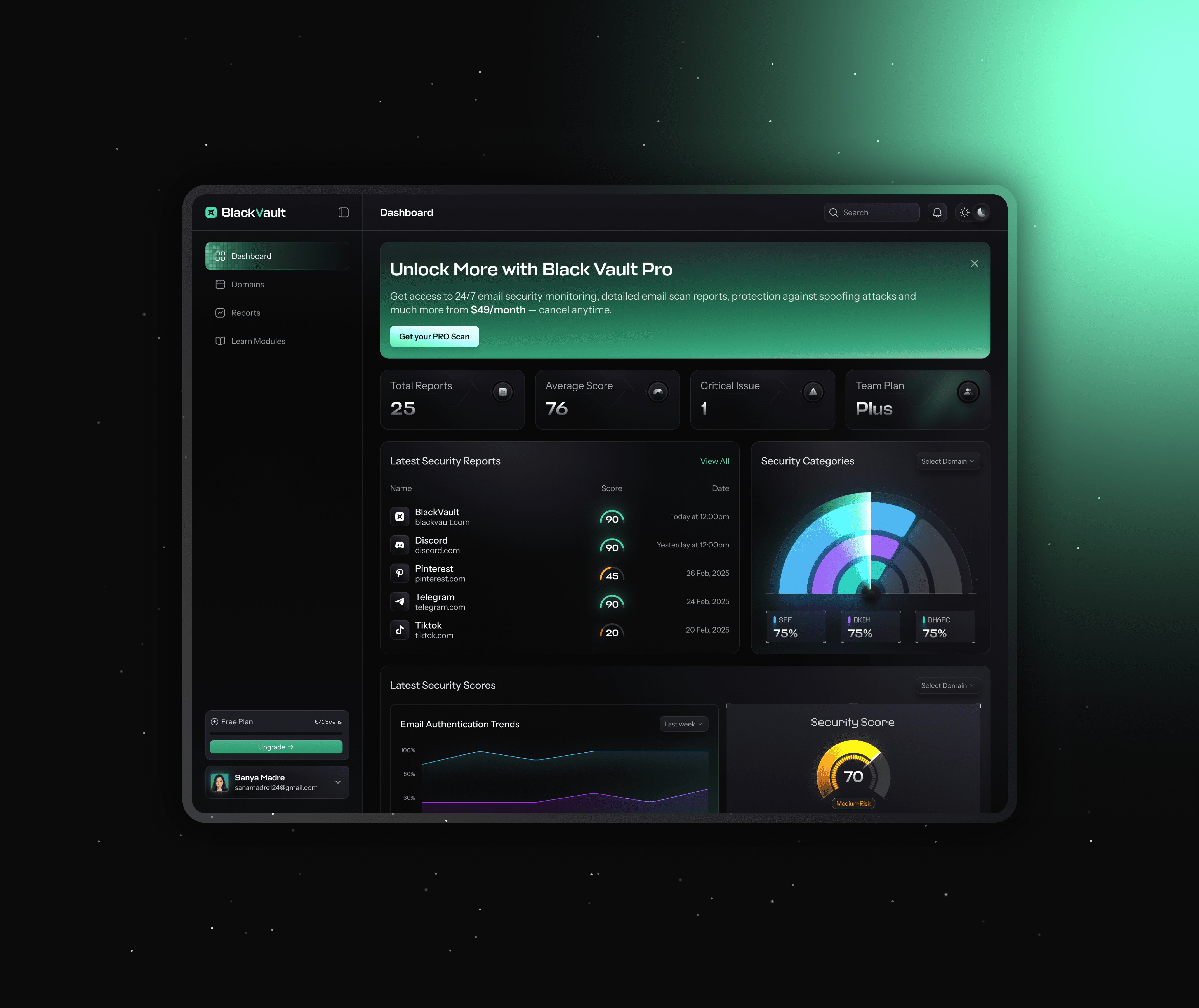
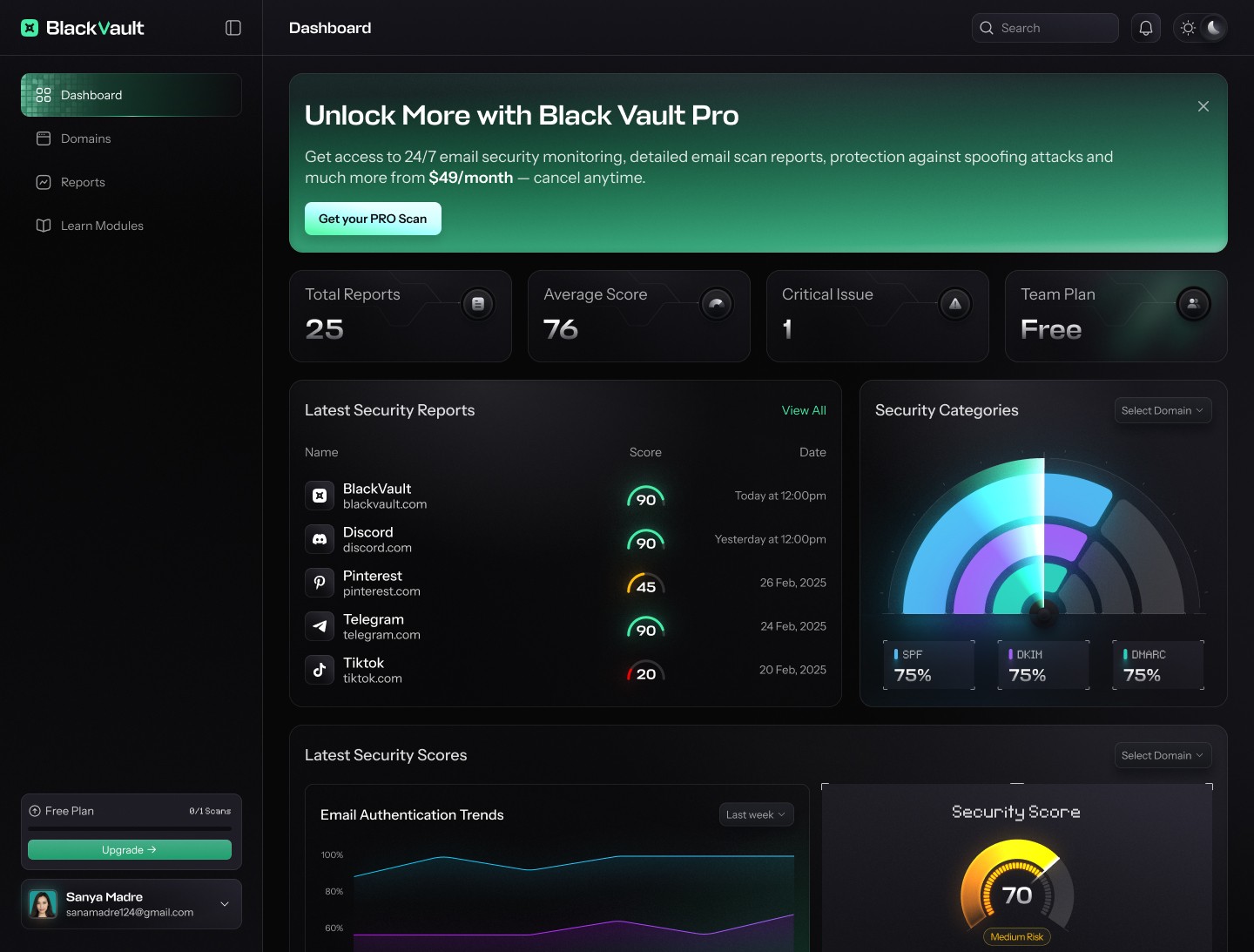
📊 The All‑in‑One Security Dashboard
Easily see the overall health of every connected domain with clear scores, latest reports, and critical issues surfaced in one view.
Track changes over time through live trend charts and protocol breakdowns, so teams understand whether security is improving or slipping.
Use the dashboard as a launchpad for action jump straight into domains, reports, or learn modules from a single, focused control center.
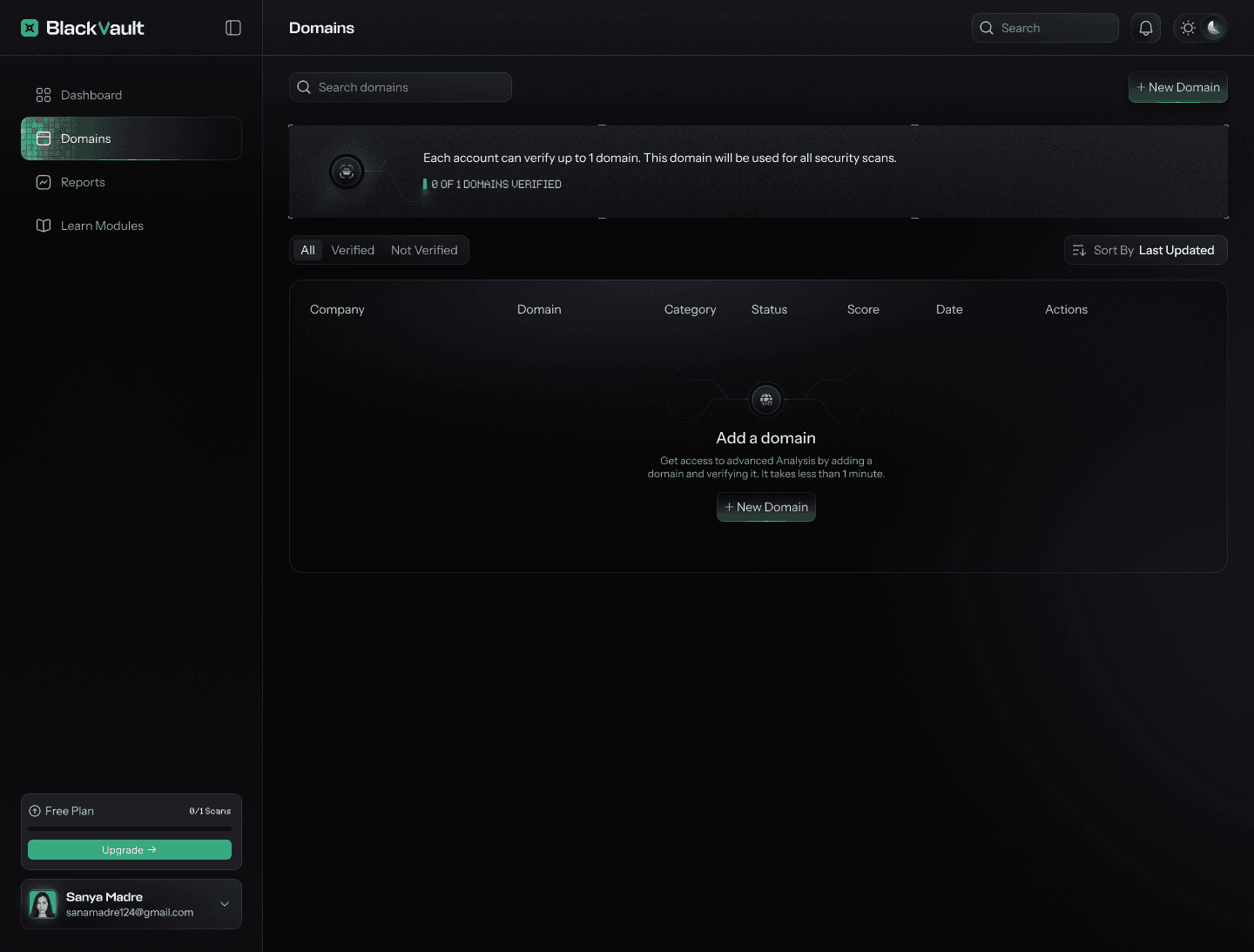
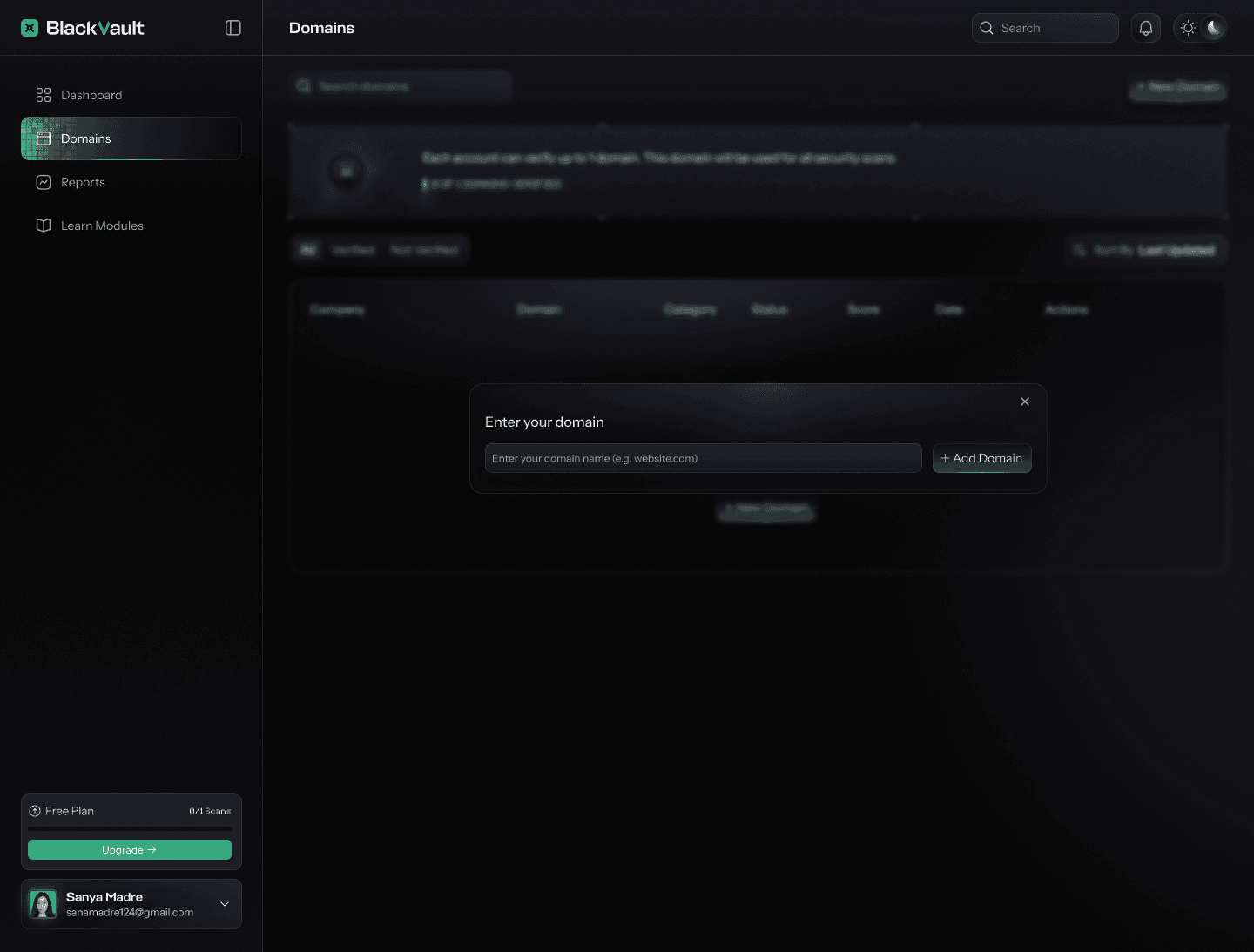
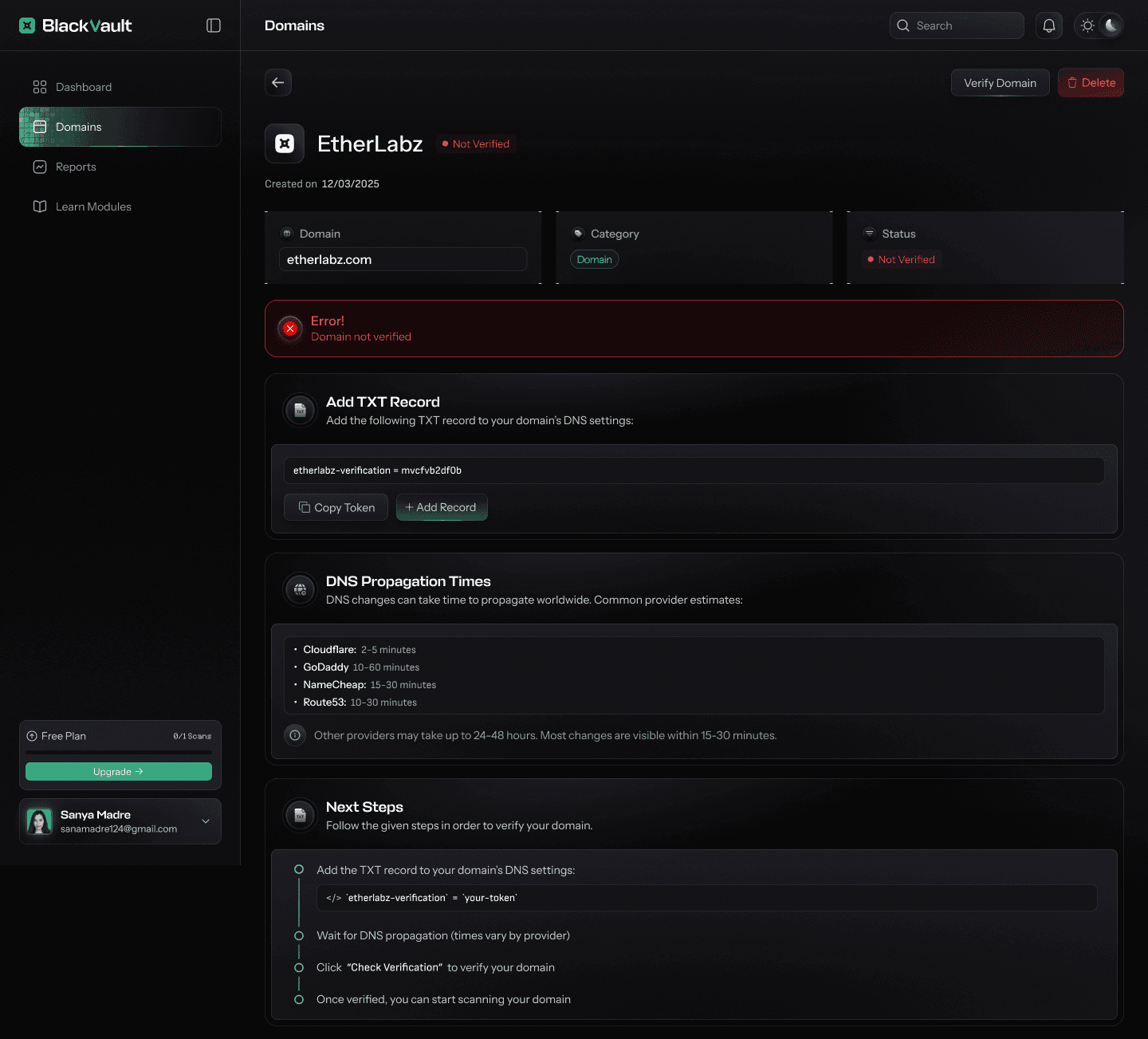
🚀 Seamless Domain Onboarding
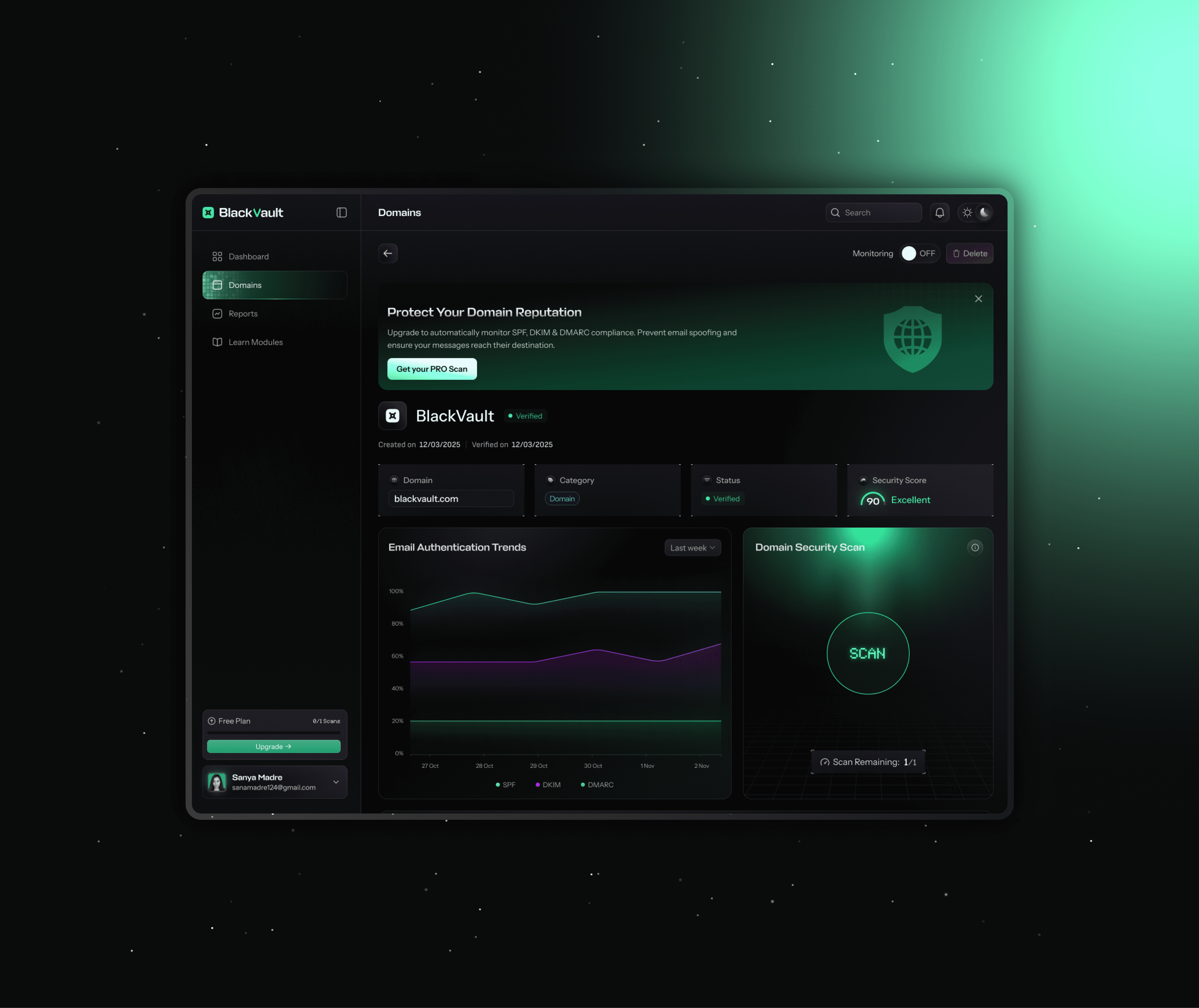
Add and verify any domain with a guided, step‑by‑step flow that explains DNS changes in plain language.
See live propagation tips and status so teams know when their domain is ready to scan.
Turn on 24/7 monitoring with a single toggle to keep the domain protected over time.
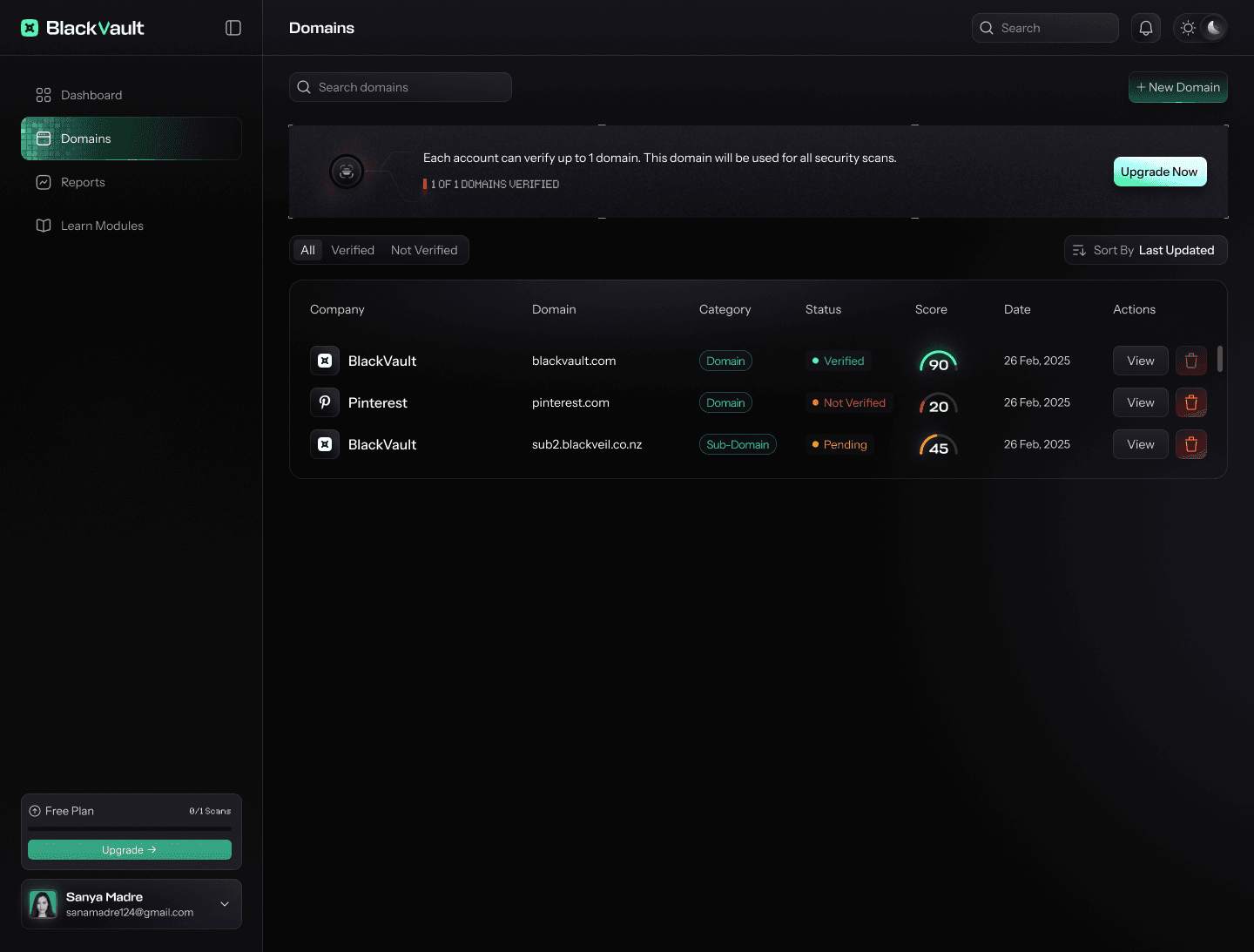
When a domain fails verification, BlackVault switches to an error state that explains exactly what went wrong and how to fix it in a guided, non‑technical way.
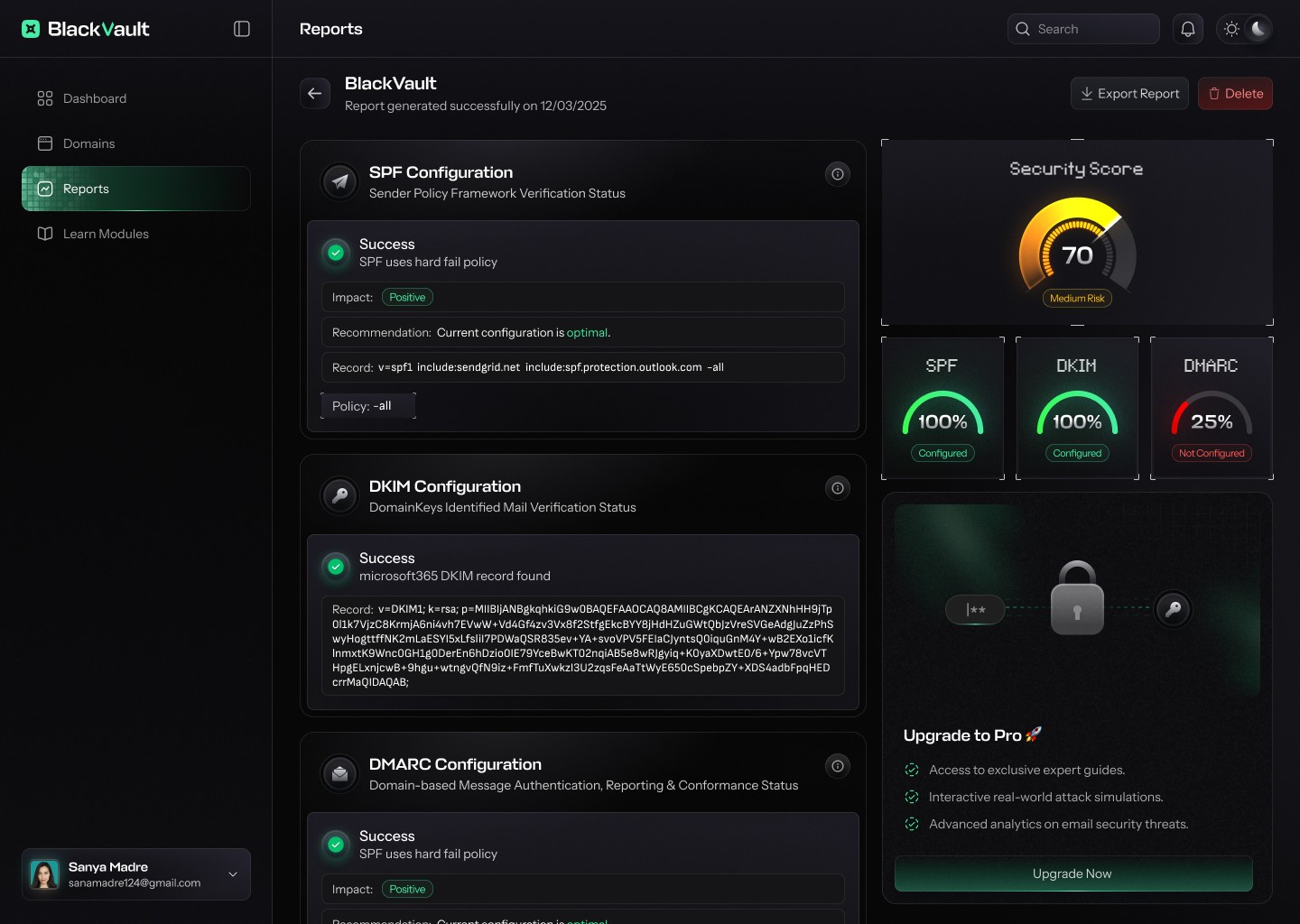
Insightful Security Reports
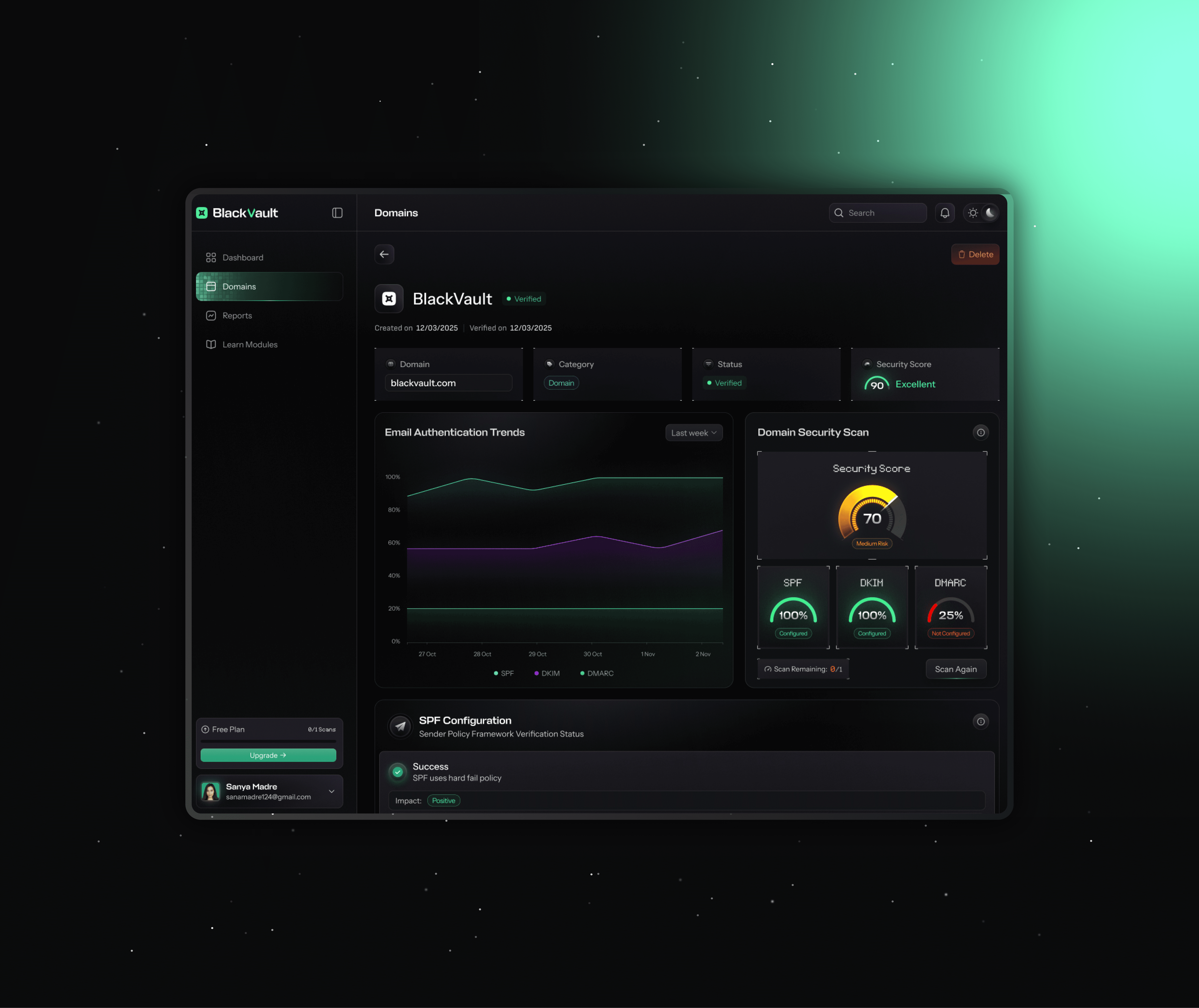
See each domain’s security posture in a single, readable report for SPF, DKIM, and DMARC.
Quickly spot what’s working, what’s broken, and how it affects deliverability and safety.
Translate raw DNS details into clear, guided fixes any team member can follow.
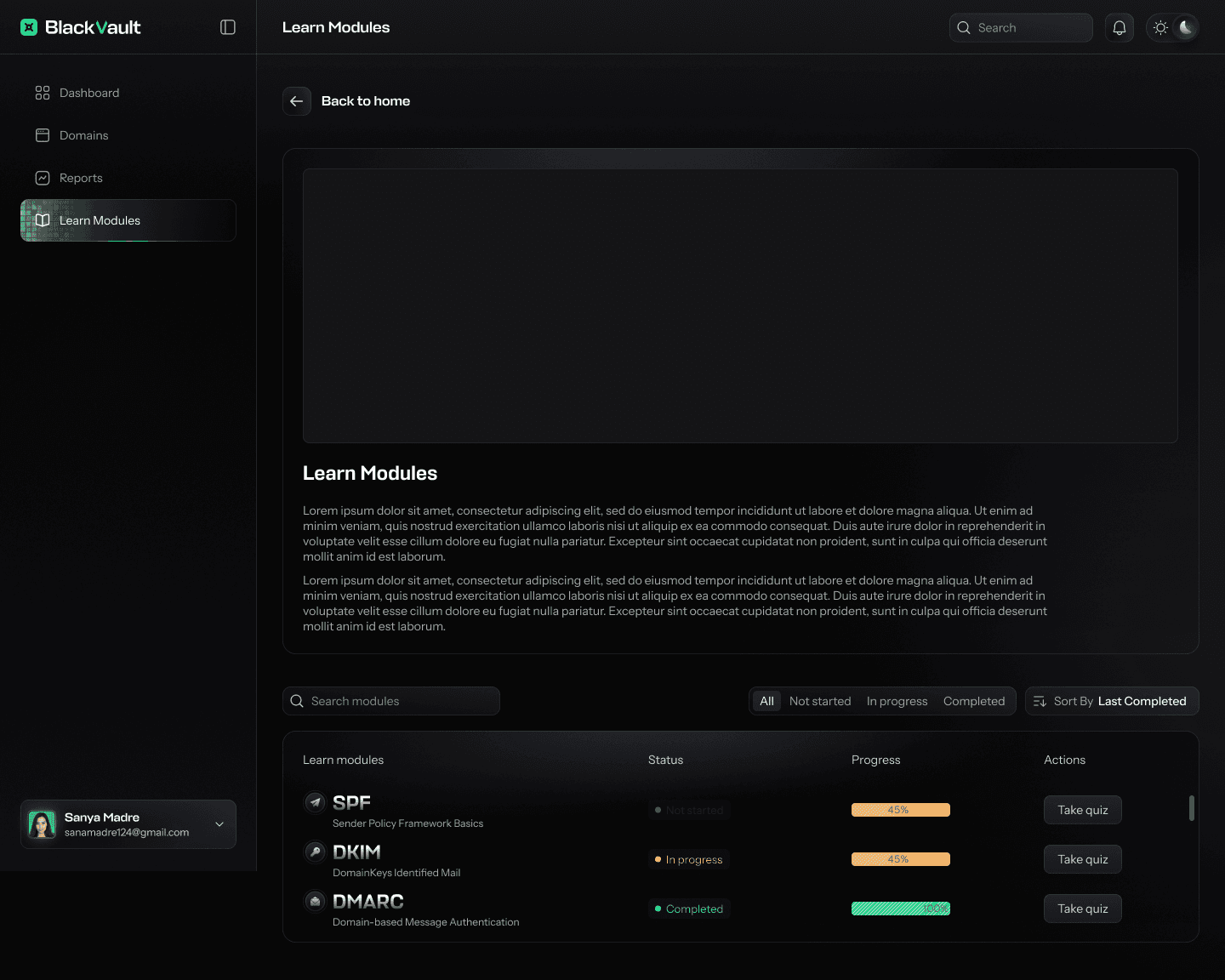
Guided Learn Modules
Learn SPF, DKIM, and DMARC through short in‑app modules while securing domains.
Track learning with simple status labels and progress bars.
Finish each module with a quick quiz to lock in key concepts.
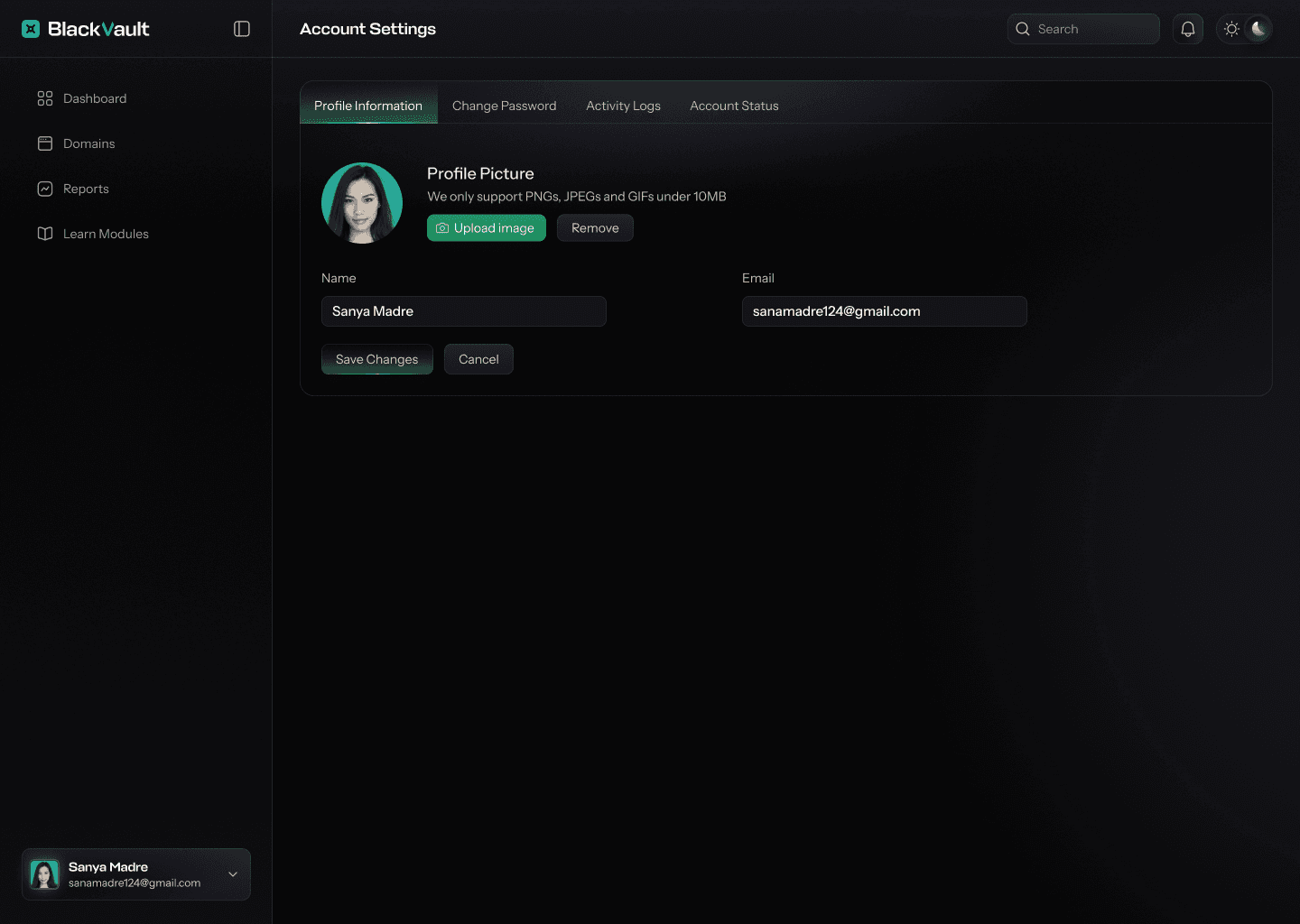
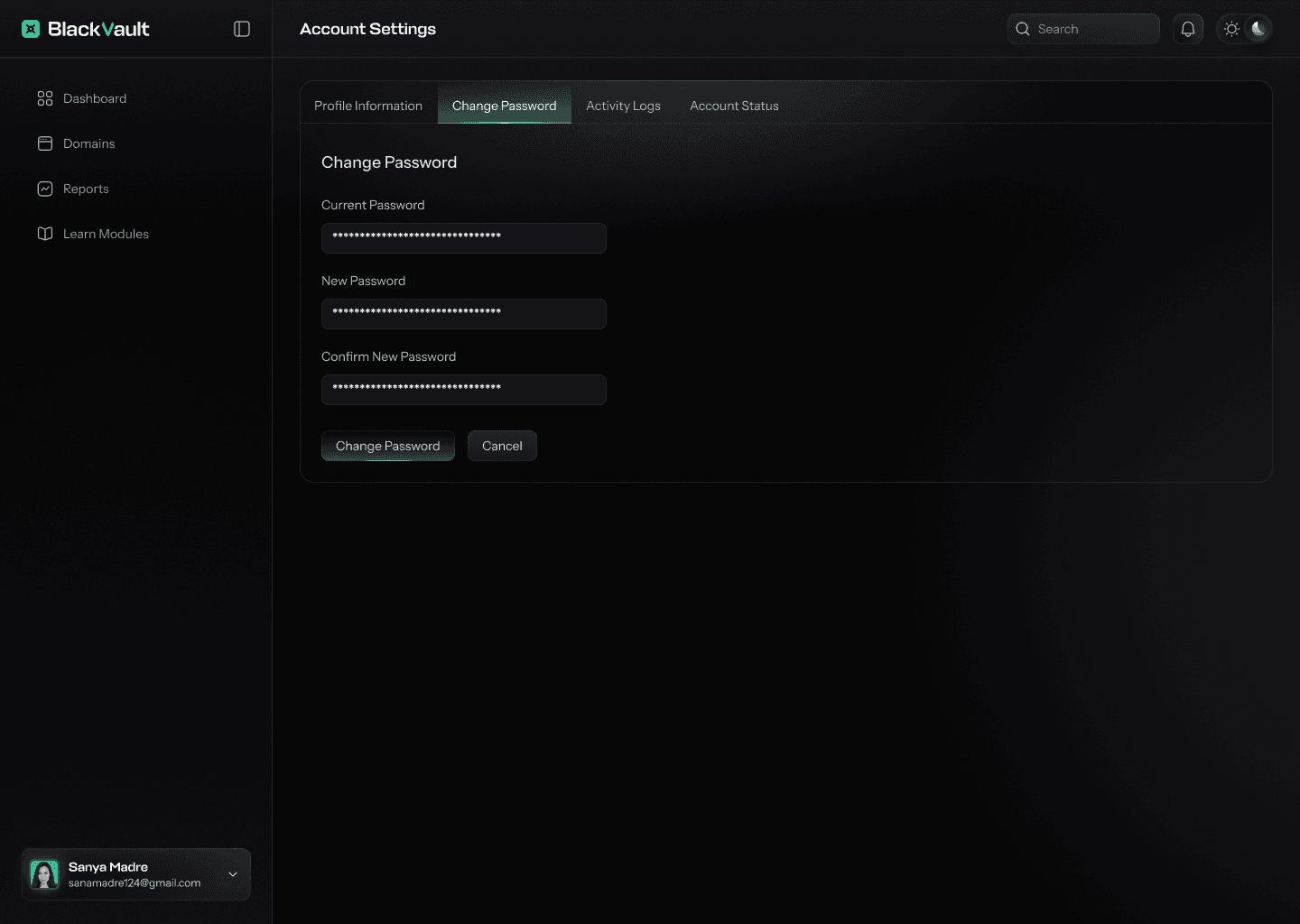
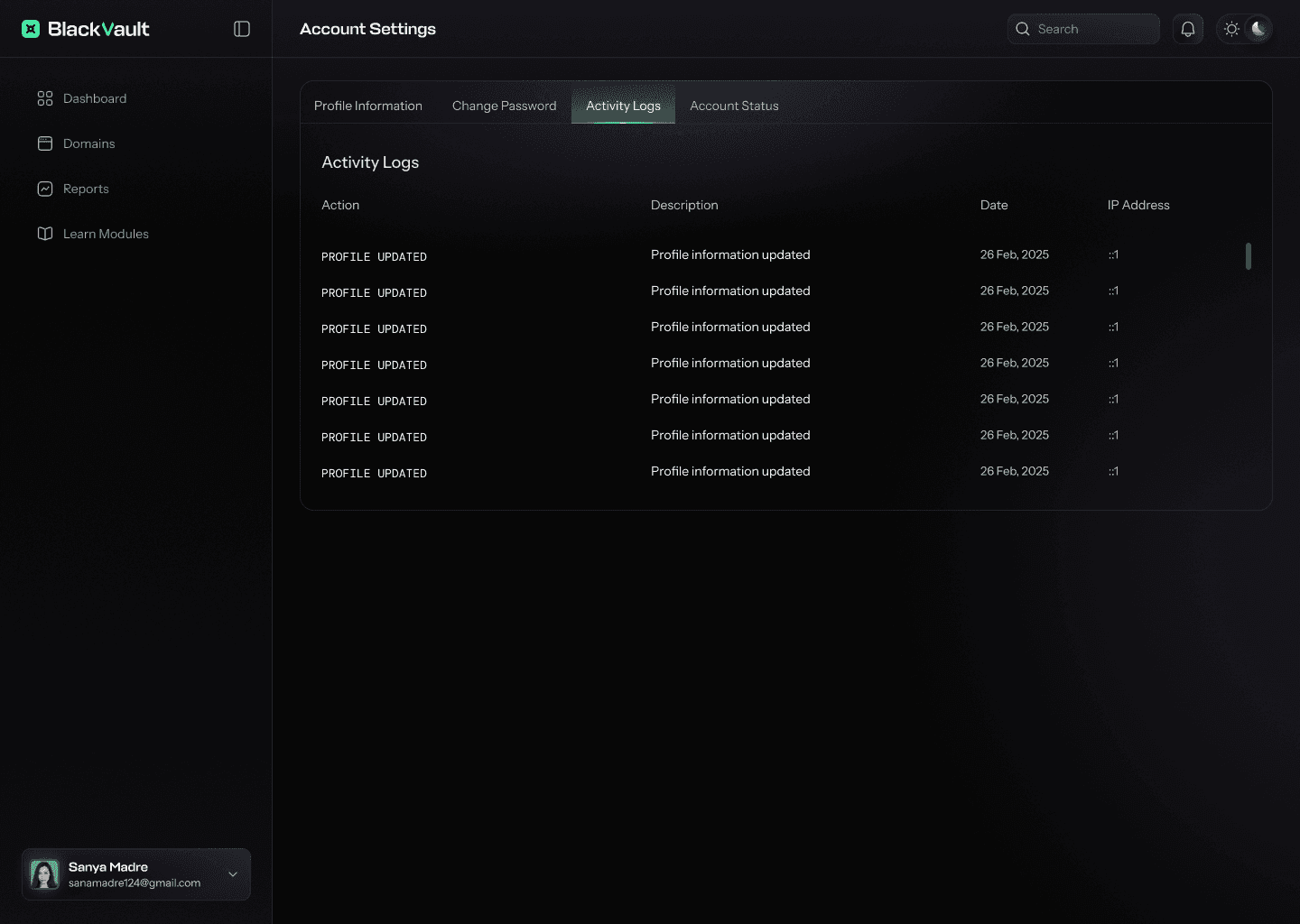
The settings section feels calm and friendly, giving users one place to see who they are, where they’re logged in, and how safe their account is. It lets them quickly update profile details, change their password, review active logs, and check account status.
Learning & Reflection
What I Learned
Designing BlackVault was a deep dive into making email security feel human, understandable, and genuinely supportive for non‑technical teams.
Trust is the core outcome
Clear explanations of changes and their impact make security feel transparent and reliable.
Guided flows reduce fear
Step-by-step onboarding turns complex DNS tasks into simple, confident decisions.
Education And Security works better together
Built-in learning modules help teams form long-term security habits, not just quick fixes.